
Inbound Data Source
For outbound data (data sent from AIIDA to an EP), the data need type outbound-aiida is used.
In contrast, instead of collecting data from local resources running on the edge, AIIDA can also receive data from the EP using the inbound-aiida data need. Similar to an outbound permission, an inbound permission is created for that purpose.
These permissions automatically create an inbound data source. This data source connects to the MQTT broker of the EDDIE instance, where the EP can send any data to AIIDA. Therefore, an inbound data source is a MQTT-based data source that connects to the MQTT broker of the EDDIE instance instead of the local MQTT broker. This data source is not visible in the AIIDA UI, as it is automatically created and managed by the inbound permission.
Add Inbound Permission
The process of adding a permission is described in the Permission documentation. For an inbound permission, a data need of type inbound-aiida must be selected.
Once a permission has been added, it is displayed in the "Inbound Permissions" tab within the "Permissions" section.
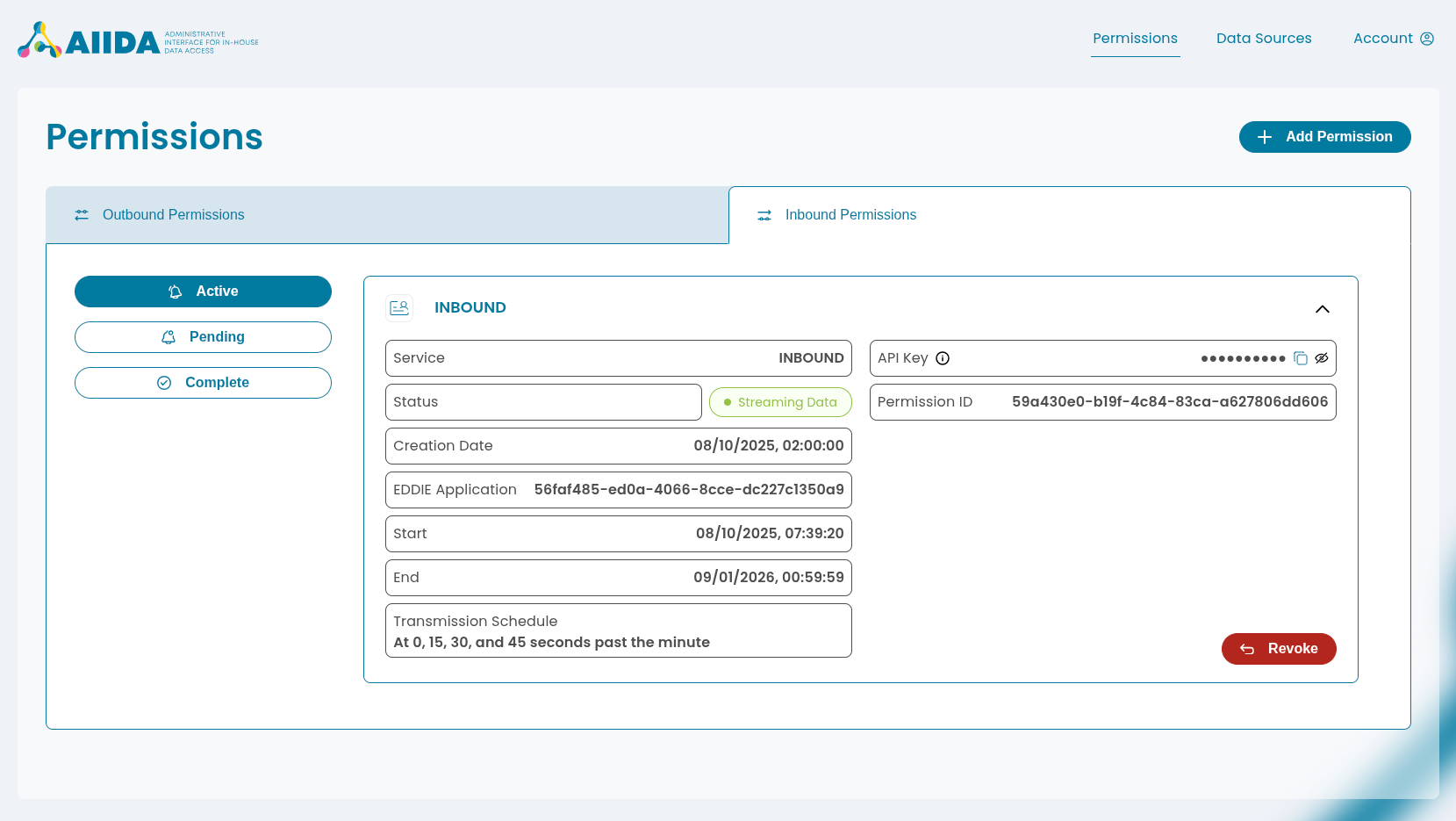
The inbound permission also includes an API key that allows access to inbound data through the REST interface. In the information dialog, ready-to-use curl command examples can be copied.
EP: Publishing Inbound Data
The EP can publish data to the respective topic in a desired outbound connector (e.g, in publishing a min-max envelope in Kafka: fw.eddie.cim_1_12.min-max-envelope-md).
The following schemas are currently supported for inbound data:
OPAQUE(any undefined payload with metadata - see this documentation)MIN_MAX_ENVELOPE_CIM_V1_12(min-max envelope in CIM v1.12 format - see this documentation)
EDDIE subscribes to these topics and forwards the data to the MQTT broker of the EDDIE instance, where AIIDA subscribes to this topic and receives any data published to it. The data is stored in the inbound_record database table and can be accessed via a secured REST interface.
Accessing Inbound Data
The REST interface is secured with an API key stored in the data_source table and shown in the UI. There are two ways to use this key to retrieve the latest inbound record:
{URL_TO_AIIDA}is the base URL of the AIIDA instance (e.g.http://192.168.0.12).{PERMISSION_ID}is the ID of the inbound permission.{API_KEY}is the API key stored in thedata_sourcetable and shown in the UI.
- Via Query Parameterbash
curl {URL_TO_AIIDA}/inbound/latest/{PERMISSION_ID}?apiKey={API_KEY} - Via Headerbash
curl {URL_TO_AIIDA}/inbound/latest/{PERMISSION_ID} \
  --header "X-API-Key: {API_KEY}"
Example Response
{
   "timestamp": "2025-10-16T11:39:37.495Z",
   "userId": "3fa85f64-5717-4562-b3fc-2c963f66afa6",
   "dataSourceId": "3fa85f64-5717-4562-b3fc-2c963f66afa6",
   "asset": "CONNECTION-AGREEMENT-POINT",
   "meterId": "123456789",
   "operatorId": "123456789",
   "schema": "MIN_MAX_ENVELOPE_CIM_V1_12",
   "payload": "{\"MessageDocumentHeader\":{..."
}
EP: Subscribing to Acknowledgement
AIIDA data needs can be configured to send an acknowledgement back to the EP after receiving data. This is done by the flag acknowledgementRequired in the data need of the inbound permission.
The EP can subscribe to the respective topic in a desired outbound connector (e.g, in Kafka: fw.eddie.cim_1_12.acknowledgement-md).
The received market document MRID is identical to the one sent by the EP, allowing the EP to correlate the acknowledgement with the transmitted data.
Revocation
If an inbound permission is revoked, the associated inbound data source is automatically deleted.